Why Does My Writing Get Flagged as AI? A 6-Step Self-Check
You wrote the essay yourself. You know which afternoon each paragraph came out of, and a detector still handed back a number that says AI, so now you're the one explaining yourself to a teacher or a client. The irritating part is that this usually has nothing to do with cheating and a lot to do with how your sentences are shaped.
Short version: why does my writing get flagged as AI? Because a detector is guessing how machine-like your prose looks, and even, polished, carefully built sentences look machine-like. One number covers the whole document, so the move is to scan a full draft, write the number down, change one thing, and scan again until you can show which version did what.
What follows is that six-step loop, run on one real draft, plus what the number actually means and what to say when someone has already flagged you. It's for anyone on the wrong end of a score: a student facing a review, a freelancer whose client asked a pointed question, or a non-native English writer whose careful grammar reads as suspicious.
What "flagged as AI" actually means
The percentage is not a measurement of how much of your text a machine wrote. GPTZero, which documents its scoring more openly than most vendors, describes its figure as the model's estimated probability of a classification rather than the share of the document written by AI, and says its model returns three classifications, not two.
Our detector gives you the same kind of estimate in a simpler shape: one whole-document figure labelled "Likelihood of AI generation detected", with two rows under it, "AI Generated" beside an orange dot and "Human Generated" beside a green one. Nothing in the text you pasted is highlighted or colour-coded, so the number always applies to the draft as a whole. Before you scan anything it sits at "---%" with "Start analyzing to detect AI patterns in your text" under it and both rows at 0%.
So "flagged" means one thing: your number landed above the line the person reading it draws. Since tools differ in training data, classification systems and decision thresholds, the same text is not flagged everywhere at once.
Why does my writing get flagged as AI?
Usually the shape of the prose, not anything you did wrong. Polished, formal, error-free writing is the writing most often falsely flagged, and a detector only ever sees the finished article: no outline, no notes, none of your earlier drafts. It also has less to work with than you'd expect. The page asks for at least 250 words, because shorter samples may not give it enough to reach a definitive score, and cutting a long document down to a few paragraphs is the quickest route into a false positive.
Which human writing gets misread
Clean, formal, error-free prose, the pattern named most often by people who have been flagged.
Samples under about 250 words, where there is too little text to weigh.
Trimmed text, which the tool's own false-positive advice tells you to avoid by supplying the long version instead.
Careful English written as a second language, where the rules were learned rather than absorbed. People report it; we have no measurement of how often it happens (unknown).
Text already smoothed by a grammar checker or a rewriting tool. It's the least measured suspect here (unknown), because we can't show what a particular checker does to a particular number.
Does good writing get flagged as AI?
Yes, and clean writing is the likelier suspect of the two. That sounds backwards until you remember what the tool is doing: it compares your draft against a model's idea of machine-written text, so the closer your prose sits to the standard version of itself, the more it looks the part. The answer is not to write worse. It's to give the tool a longer sample and read the number as a reading rather than a ruling.
How to test your own draft properly: the 250-word scan
The self-check is a loop: whole draft in, one number out, one change, scan again, compare. It's the same paste, read the result, adjust loop as AI Image Prompt Examples: 5 Jobs, Exact Prompts, with your own paragraphs in place of a prompt.
We'll use one draft throughout: a full-length personal essay about the summer its writer spent washing dishes in a hotel kitchen. It's controlled, slightly formal, the sort of prose that draws a flag, and every screenshot below is that essay.
Open the detector and look at the empty state
Open the free AI detector. The card starts with the placeholder "Paste your text here to check for AI content...", a Paste Text button, Upload Doc, a greyed-out Detect AI, and the gauge at "---%" above "Start analyzing to detect AI patterns in your text", both rows at 0%. Detect AI stays disabled until there is text in the box.
Worth ten seconds of your attention: with both rows at zero, you know the number you get in a moment came from your draft and from nothing else.
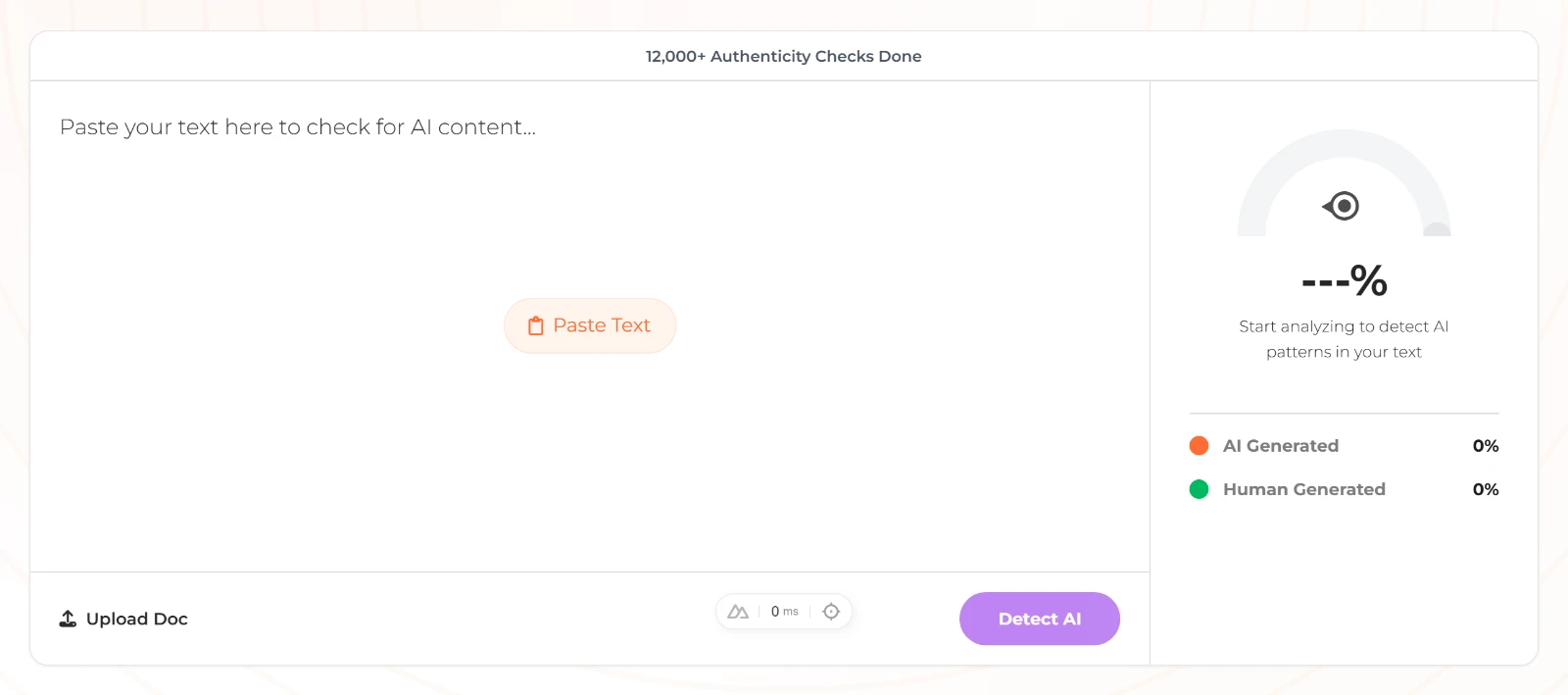
The empty card: the gauge sits at ---% and Detect AI stays greyed out. Paste the whole draft, not a paragraph
Click Paste Text and put the entire essay in, or type it in directly. The page asks for at least 250 words because a shorter snippet may not give it enough to score, and trimmed text is the fastest way to a false positive. The box takes 10 to 50,000 characters; outside that range the server answers "Text must be at least 10 characters long" or "Text exceeds maximum length of 50,000 characters".
If your draft lives in a file, Upload Doc reads .txt only. Anything else raises "Currently only .txt files are supported. PDF and DOC support coming soon!". Once the essay is in the box, Detect AI becomes clickable.
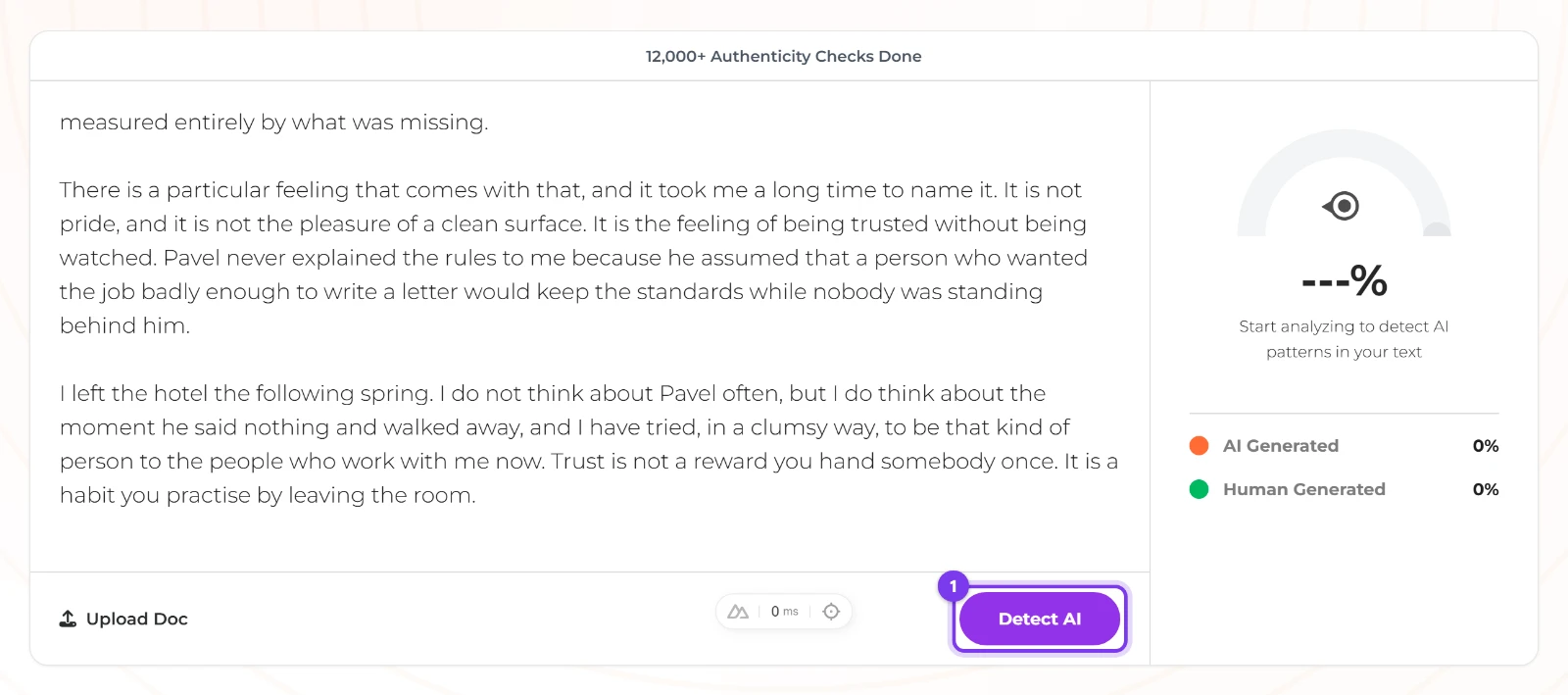
Paste the whole draft, then press Detect AI. Press Detect AI and write the number down
Press Detect AI; while it works the button reads Checking.... What comes back is one percentage under "Likelihood of AI generation detected", with the "AI Generated" and "Human Generated" rows beneath it, and the bottom bar swaps Upload Doc for a count in the form "N sentences • N words" plus a Clear All button.
Write both figures down, or screenshot the result. The page keeps no history, no export and no report, so the note you make now is the only record you'll have later, and that record is what turns "it said I used AI" into a comparison between versions.
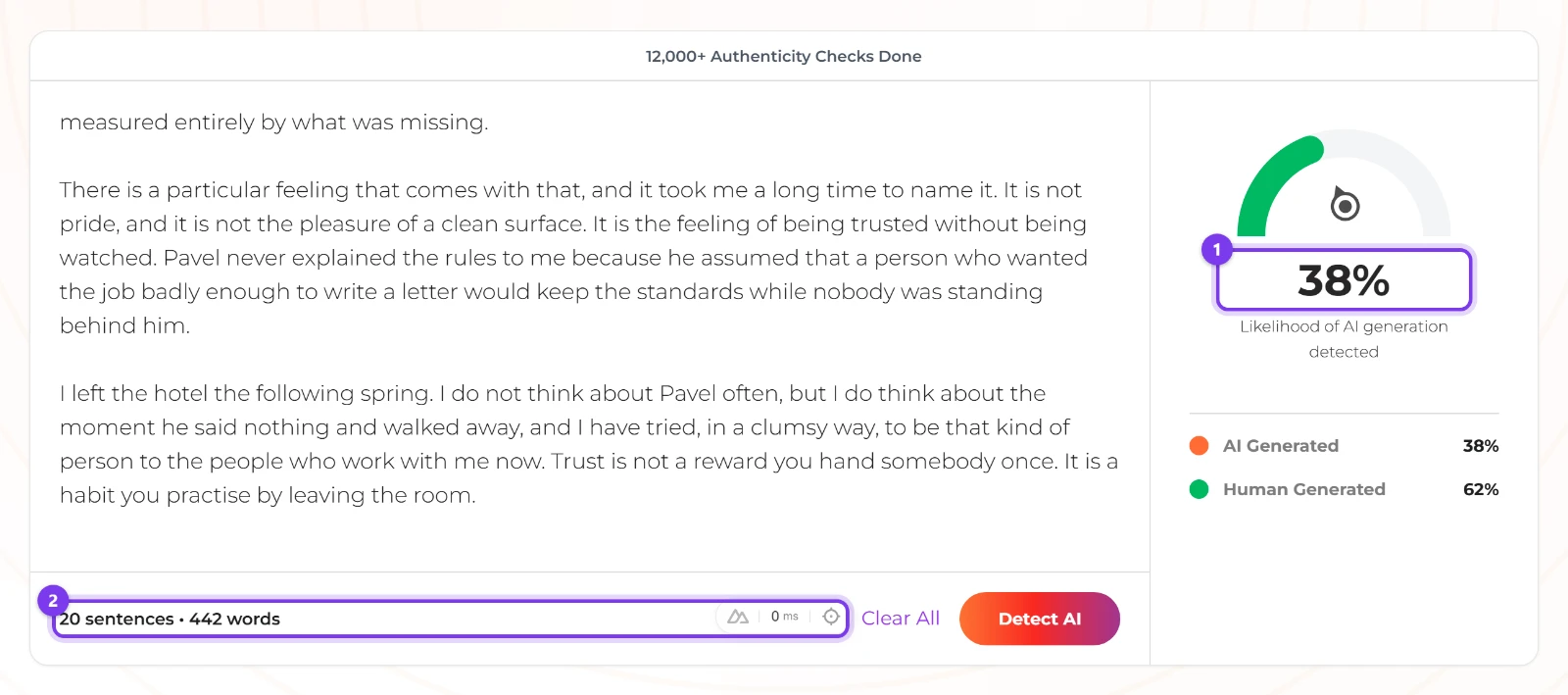
One whole-document number, the two rows, and the word count to note down. Check the word count against the 250-word rule
Compare the words figure in the bottom bar with the length the page asks for. If your draft came in under 250 words, add the rest and scan again before you take the score seriously, because a short score is a result about a short sample, not about your writing.

The tool's own length rule: scans of at least 250 words. Change one section and scan again
Here's the quirk worth knowing: the number does not move while you type. The old score stays on screen until you press Detect AI again, and only Clear All takes it away. That's helpful once you know it, since the number on screen always belongs to the version that produced it. It's a trap if you edit, glance up and assume the score fell.
Change one thing, in our essay the paragraph about a promotion nobody announces, press Detect AI again, and write the new number next to the old one. Because the result covers the whole draft and no sentence is highlighted, changing one section at a time is the only comparison that tells you anything.
Re-scan the same draft in your own language
If English isn't your first language, open the AI detector in Spanish, or its French, German, Portuguese, Japanese or Chinese version, and run the same draft there. The labels change with the language: Pegar Texto and Detectar IA, with "Probabilidad de generación por IA detectada" above the result. If the essay scores much lower in your own language, the English was part of what the first scan was reacting to, and you now have a fact to put in your reply to whoever flagged you.
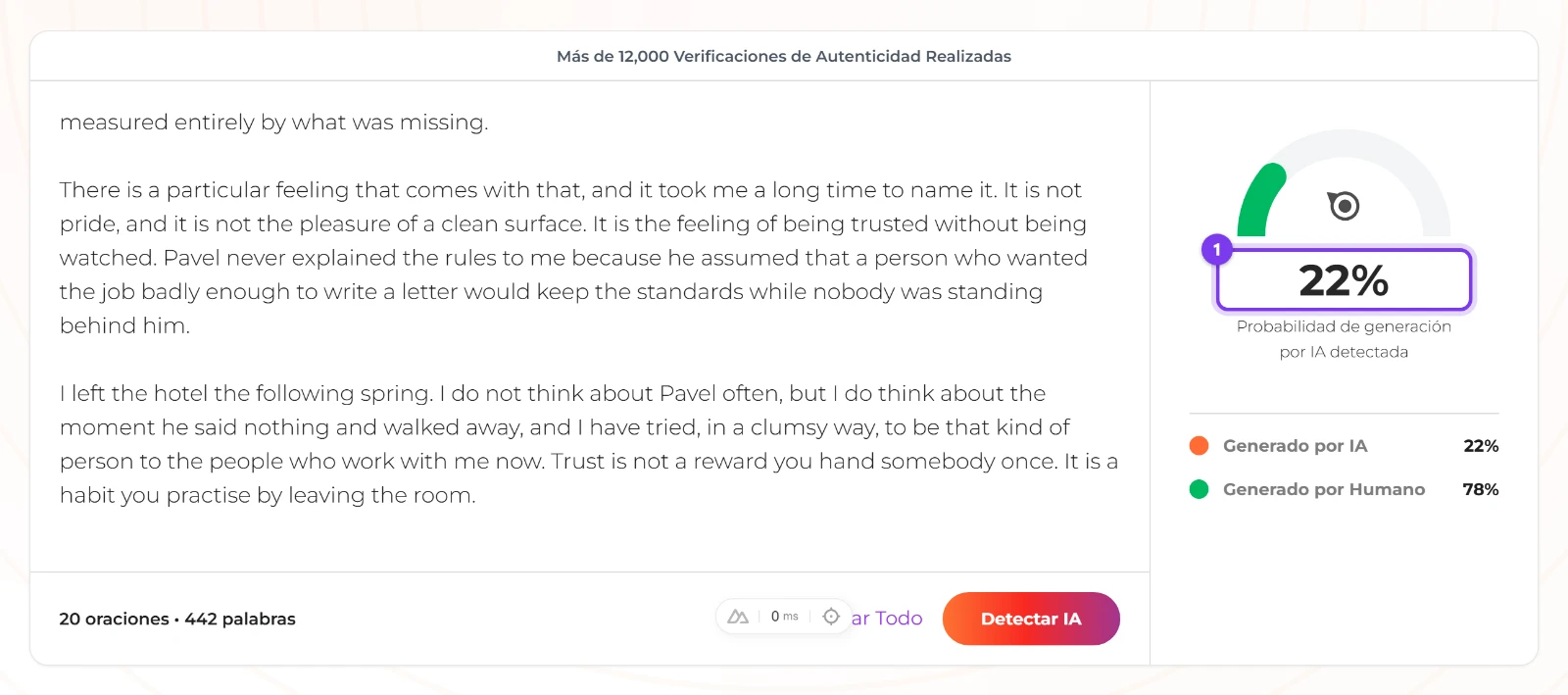
The same draft, scanned in Spanish.
Why two detectors disagree on the same text
One freelancer's write-up has the same text scoring "80% AI" on one tool and passing as fully human on another. That doesn't have to mean either tool is broken. Tools weigh signals differently, and they differ in training data, classification systems and decision thresholds, so "which detector is right" is a badly formed question. "What does the pattern of readings say" is a better one.
Vendors also change engines under you: GPTZero says it stopped using perplexity and burstiness for detection in autumn 2023 in favour of a deep-learning model. Our own score is an estimate from a model too, and a scan the tool can't read comes back as an even 50/50, so an exactly even split is a reason to scan again rather than a finding.
Can AI detectors be wrong?
Yes. Every one of these numbers is an estimate, and even the best-documented vendor describes its output as a probability across three classes rather than a verdict. Weight a single score by how much text produced it, and compare readings instead of ranking them: two tools disagreeing, or one number moving after one edit, tells you more than any single score can.
What to do once you are flagged
How to prove you wrote your essay yourself
The evidence is the process, not the prose. Collect dated drafts, notes and version history, then ask the person reviewing the work to look at how the document was created rather than only at the finished text. The vendor that publishes most about this sells a paid Writing Report as its proof-of-authorship route; a folder of dated files costs nothing and shows the same thing.
Put it in one message: the day you started, a file for each stage of the draft, your outline, the screenshots from the check above, and one question about seeing how it was written. You need those screenshots because the page gives you no report to forward.
If what you need is a rewrite rather than a defence, How to Humanize AI Text With Fusion Chat's AI Humanizer covers rewriting flagged text. Then put the rewrite through the same six steps and compare the numbers, because a rewrite is another draft with a score, not a guarantee.
Run the check before someone runs it on you
A flag is one estimate about a whole document, so the useful move is never to argue with a single number but to build a small record of numbers. Keep your drafts, scan at full length, change one thing at a time, and re-scan. The thing to try next is the first scan on the draft you're worried about, at 250 words or more, with the result written down. Every other guide we publish about this detector is collected on AI Detector guides and how-tos.
Frequently asked questions
Why is my essay flagged as AI?
What does the AI percentage actually mean?
Can AI detectors be wrong?
Does good writing get flagged as AI?
Why do two detectors give different scores for the same text?
How do I prove I wrote my essay myself?
Does adding typos make my text look human?
Is the AI detector free?
First published · Last updated : First published.