How to Write a Summary With an AI First Draft
A summary should run 10-30% of the source's length: 300 to 900 words for a 3,000-word article, 120 to 360 for a 1,200-word one. Open it with the title, the author, a reporting verb and one sentence of main claim, then check the draft against the original line by line. How to write a summary that fast: paste the source into the AI Summarizer, drag the length slider left, and treat what comes back as a draft to verify rather than a summary to hand in.
How long should a summary be? The 10-30% band in real word counts
The strictest rule you are likely to be handed is Las Positas College's: a summary should not exceed half the length of the original, include no quotations and carry no opinion of your own. Harvard's guidance offers a different way to find the size — summarise the same source at 150 words, then at 50, then in one or two sentences, which forces you to decide what the central idea actually is. The band this guide works in is 10-30% of the source: short enough that no borrowed prose survives, long enough to hold the main claim and the points that support it.
In word counts, that band works out as:
3,000-word article: 300 words at 10%, 600 at 20%, 900 at 30%, 1,500 at the page's default setting
1,200-word article: 120 words at 10%, 240 at 20%, 360 at 30%
500-word article: 50 words at 10%, 100 at 20%, 150 at 30%
The slider is the only length control on the tool, and it does not speak in percentages. Its left end asks for 10% of your word count, its right end for 200%, and the page opens at 50% — so the 10-30% band sits in the first tenth of the track, hard against the left end. Only Short and Long are printed, at the two ends, and no numeric readout of the target appears anywhere on the card.
How to start a summary: title, author, a reporting verb, one sentence of main claim
A summary starts with the text, not with you. Las Positas asks for the overall topic right away, the essay's title and author named in the opening sentence, present tense throughout, and reporting verbs that show the ideas are the author's rather than yours. Kellogg's course chapter reduces the same skeleton to a fill-in sentence: "In the essay Santa Ana, author Joan Didion's main point is (state main point)".
The reporting verb is the part most drafts skip. Las Positas groups them by subject — the article presents, reports on, deals with, focuses on, examines, covers, describes or addresses; the author states, claims, argues, criticizes or describes; the researchers state, claim or report. Its worked opening runs the whole sentence at once: "In the article "Why Doesn't GM Sell Crack?" Michael Moore argues that…" — title, author, verb, claim.
Two things stay out of that opening sentence: your verdict on the text and any argument of your own. Harvard's page, written for the teaching assistants who set the assignment, names that as the commonest failure — when a summary is the assignment, students are not supposed to be making an argument.
Step 1: paste the text and set the length slider
The summarizer is one page, headed "Summarize Any Text Instantly", and everything happens in a single white card.
Open the Summarizer
Open the free AI Summarizer tool page. The card holds a Summary Length: row, an input box on the left, "Your summary will appear here" on the right, and Upload Doc and Summarize beneath the input.
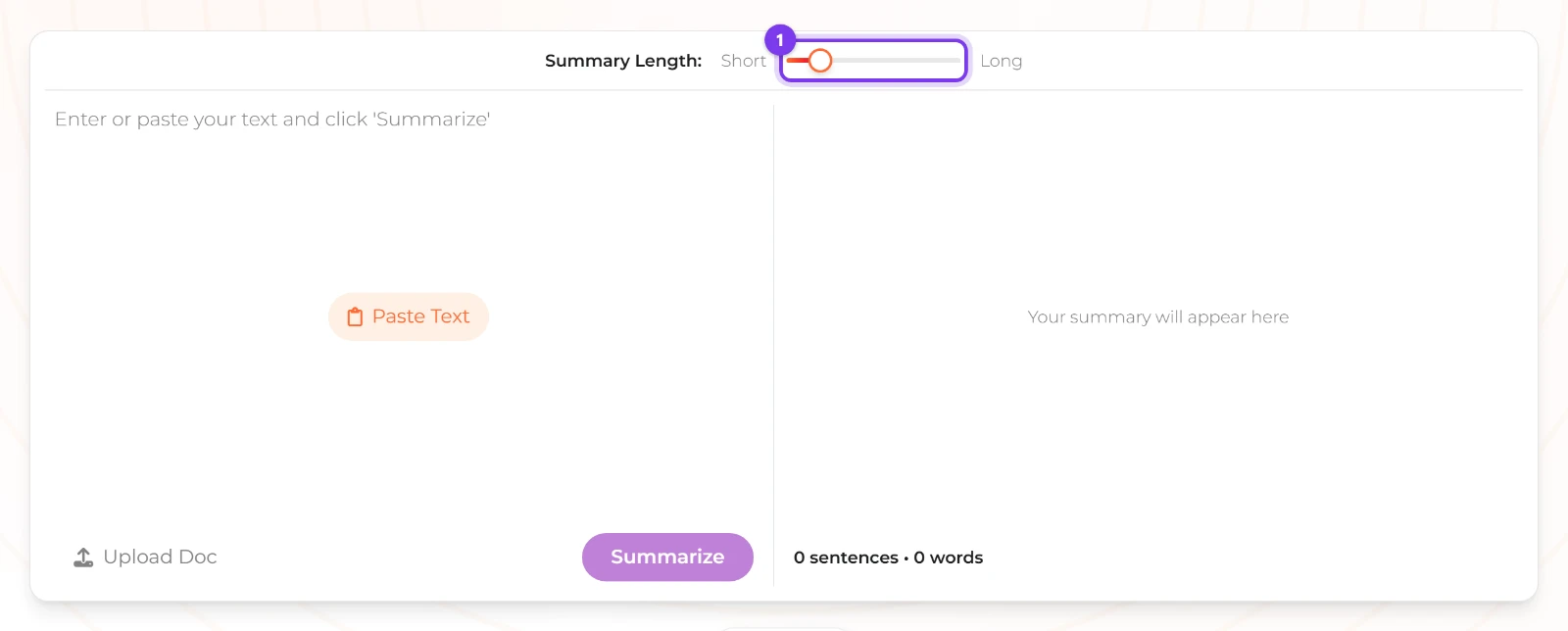
The empty Summarizer: the slider sits mid-track, the box offers Paste Text, and the right panel is still empty. Paste your source
Click the orange Paste Text pill in the middle of the empty box, or click into the box and type; the pill only shows while the box is empty, so it disappears as soon as text lands. One run carries at most 50,000 characters, and the target length is never allowed to fall below 10 words.
Drag the slider to Short
Drag the knob to the left end of the track, level with the Short label. That asks for 10% of your word count; mid-track, where the page opens, asks for 50%; the right end asks for twice the source's length. Nothing on the card prints the target in words, so judge the setting by where the knob sits, not by a number.
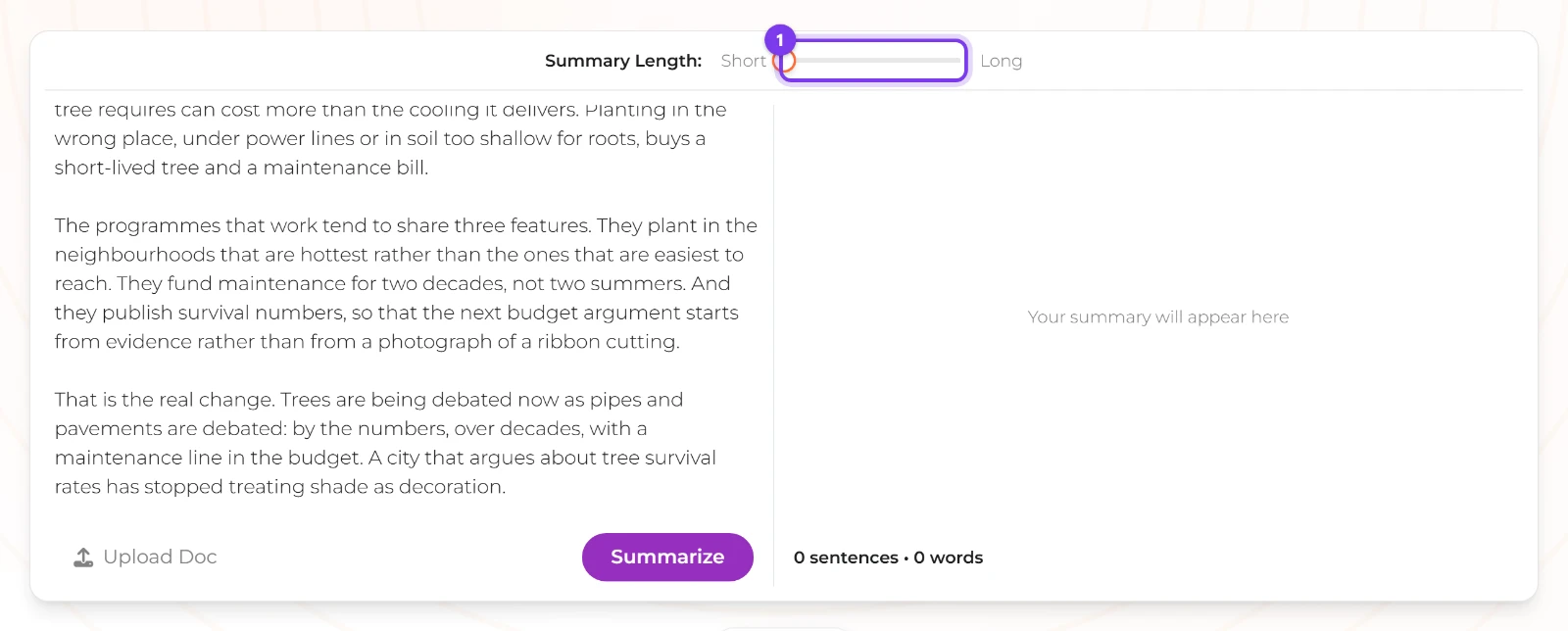
A pasted article, and the knob pulled fully left to Short: 10% of the source's word count.
Step 2: read the draft against three checks: main claim kept, no invented facts, no opinion drift
The draft arrives whole. Nothing streams: while the request runs, the right panel shows a spinner and Summarizing..., the button reads Summarizing..., and the finished text then lands in the panel as plain text.
Click Summarize
Click the purple Summarize button under the input box and wait out Summarizing...; the result replaces "Your summary will appear here" in the right panel.
Check the main claim
Read the draft's first sentence against the original's thesis. The model is told to summarise to a target length while preserving key information and the original meaning, in clear and coherent language, but preserving a claim is not the same as picking the right one — if the opening sentence of the draft is a supporting detail, the main claim has been missed.
Check for invented facts
Highlight every number, name and date in the draft and find each one in the source. The instruction ends "Output only the summary, no preamble or explanation", and nothing in it forbids adding detail; two runs over the same text can also word the summary differently, so a fact you cannot find is not a fact you can keep.
Check for opinion drift
Look for evaluative words — important, brilliant, unfortunately, obviously — that the author never used. Nothing in the instruction stops the model from interpreting, and a summary is not meant to carry an argument of its own; rewrite the sentence with a reporting verb instead.
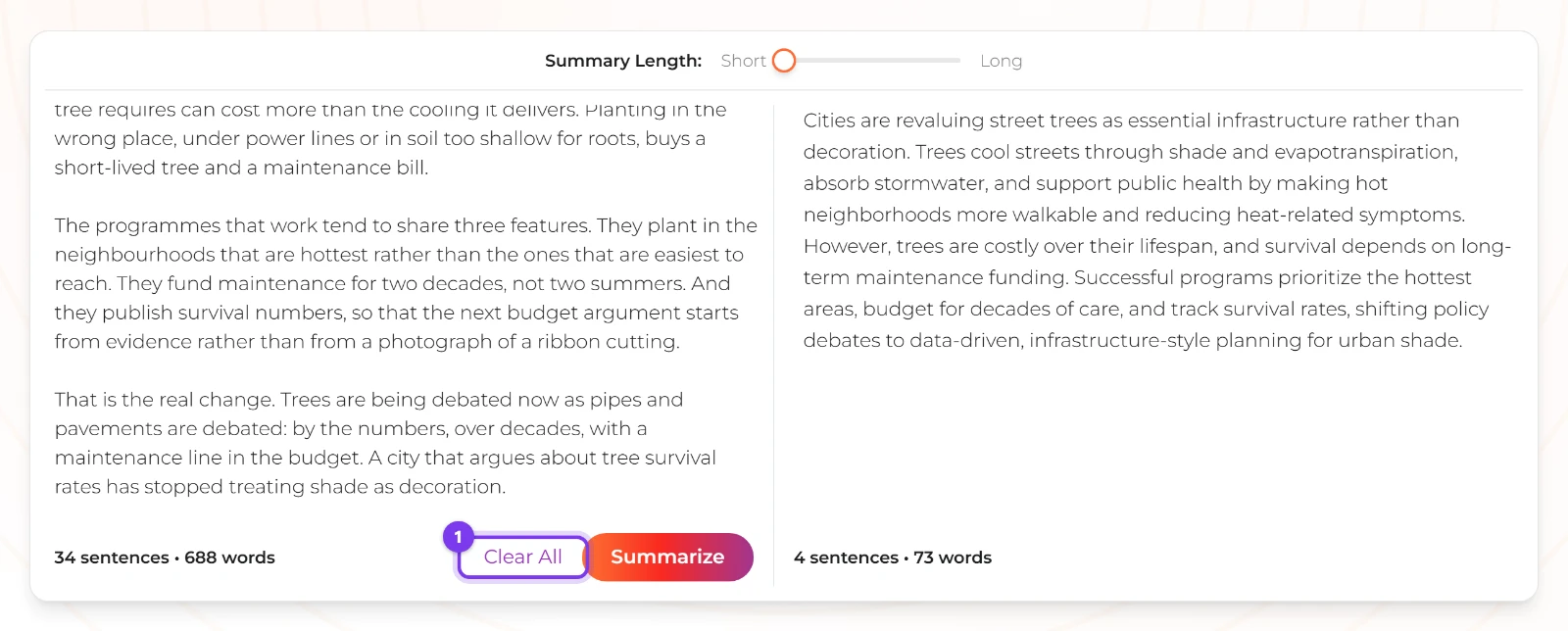
There is no copy button on the result: it is plain text in the panel, so select it and copy it yourself. The summarizer runs on GPT-5.1 at a temperature that allows variation, and it never inspects whether the reply finished, so a long target can come back shorter than asked or cut off mid-sentence.
How to summarize an article or essay without reading it twice
You read the source once, and you read it for landmarks rather than for pleasure: the opening paragraph, the closing paragraph, and the first sentence of each section, which is where writers say what the piece is doing. Harvard's teaching note suggests summarising the same source at 150 words, then 50, then one or two sentences as a way of forcing those landmarks into an order.
Mark the landmark sentences
Copy the four or five sentences that carry the article's claim, its main supporting points and its conclusion into a scratch note, in the order they appear in the article.
Draft the long text in one paste
Paste the whole article, not your markers, into the input box, set the knob just past the left end of the track and click Summarize. A paste of up to 50,000 characters — several thousand words — fits in one run.
Check the draft against your markers
Read the draft next to your scratch note: every marker should be reflected somewhere, and any claim in the draft that no marker supports is a candidate invention to cut.
A PDF article has to be pasted as text, because Upload Doc reads plain text only. That is also the reason to keep the article's own text in a note rather than reopening the file to check each fact.
How to summarize a story or a research paper
A story is summarised in the order it is told. Report the topic right away, name the title and author, describe the main points as they come, and mention the conclusion the story draws, all in the present tense and with no reading of theme and no judgement of the characters. A research paper collapses differently: the central claim, the method, the result, the limitation. Kellogg still wants the opening sentence to state the title, the author and the main point as you see it, and Harvard allows a key term or two to be quoted directly — summaries tend not to carry much direct quote, but quick moments of quotation are standard for technical vocabulary.
One caveat if the source is not in English: the tool counts words by splitting on whitespace, so a Chinese or Japanese article registers as very few words and the target length collapses toward the 10-word floor, even though the page's own FAQ claims support for "over 50 languages". For those sources, write the summary yourself, or check the draft's length against the source by hand.
Keeping it in your own words: quoting, paraphrasing and reporting verbs
The three most-quoted guides on this contradict each other about quotation, and the contradiction is worth settling before you draft. Las Positas puts quotations on its do-not list. Kellogg's chapter requires three separate passages copied word for word, in quotation marks, each with its paragraph number. Harvard sits between them: summaries tend not to include much direct quote, but they are a fair place to practise quoting a key term or two.
They are describing one norm from opposite ends, and the assignment's format decides which end you follow. If the format asks for quoted evidence — Kellogg's does — quote exactly, put the words in quotation marks, cite the paragraph, and keep quotation to the passages the argument turns on. If the format asks for a summary in your own words — Las Positas' does — paraphrase, and attach a reporting verb so the borrowed idea stays visibly the author's: the article argues, the author claims, the researchers report. Borrowed prose without quotation marks, or a paraphrased idea with no reporting verb, is the version of either method that gets marked down.
This is where an AI draft needs the most work. The summarizer returns unattributed prose with no citation and no record of where a sentence came from, so every sentence you keep has to be rewritten until it is one you could defend. The same reading applies to machine-written prose generally — see a walkthrough of rewriting AI text so it reads naturally.
Is using AI to summarize cheating, and what should you disclose
Both Harvard and Kellogg define a summary as being written in your own words, and that definition settles most of it. A draft you paste in and hand over is not in your own words: the tool produces unattributed prose with no citation, and it keeps no record that AI wrote it. The instruction behind the draft asks only for the summary itself, with no preamble or explanation, so the page will not disclose anything on your behalf either.
What makes the work yours is the rewrite and the naming. Put every kept idea into your own sentences, name the source and the author in the opening, and state plainly which parts, if any, you quoted. Whether an AI draft is allowed at all is set by your course, not by this post and not by fusionchat.ai — the tool has no policy to point at. If the syllabus is silent, ask before you hand the summary in.
When the draft is too long, invents a fact, or slides into opinion
Lower the slider and run it again
When the draft comes back too long, drag the knob further left and click Summarize again. The slider multiplies your input's word count, so the same setting asks for a different target on a different source.
Compare the two counts under the panels
Once a result exists, both panels print a count in the form "N sentences • M words", and Clear All replaces Upload Doc under the input. Both numbers are the length of the text in that panel, not the target you asked for, so subtract them yourself to see how far off the draft is.
Cut the invented sentence
A re-run will not reliably restore a fact: wording varies between runs, and a long target can come back short because the reply is capped at 2,000 tokens and the finishing reason is never checked. Delete the sentence; if the point matters, write the accurate version from the original by hand.
Rewrite opinion as a reporting verb
Replace any sentence that judges the text with one that attributes it — the author argues, the article reports, the researchers claim. That keeps the idea and removes the opinion a summary is not supposed to carry.
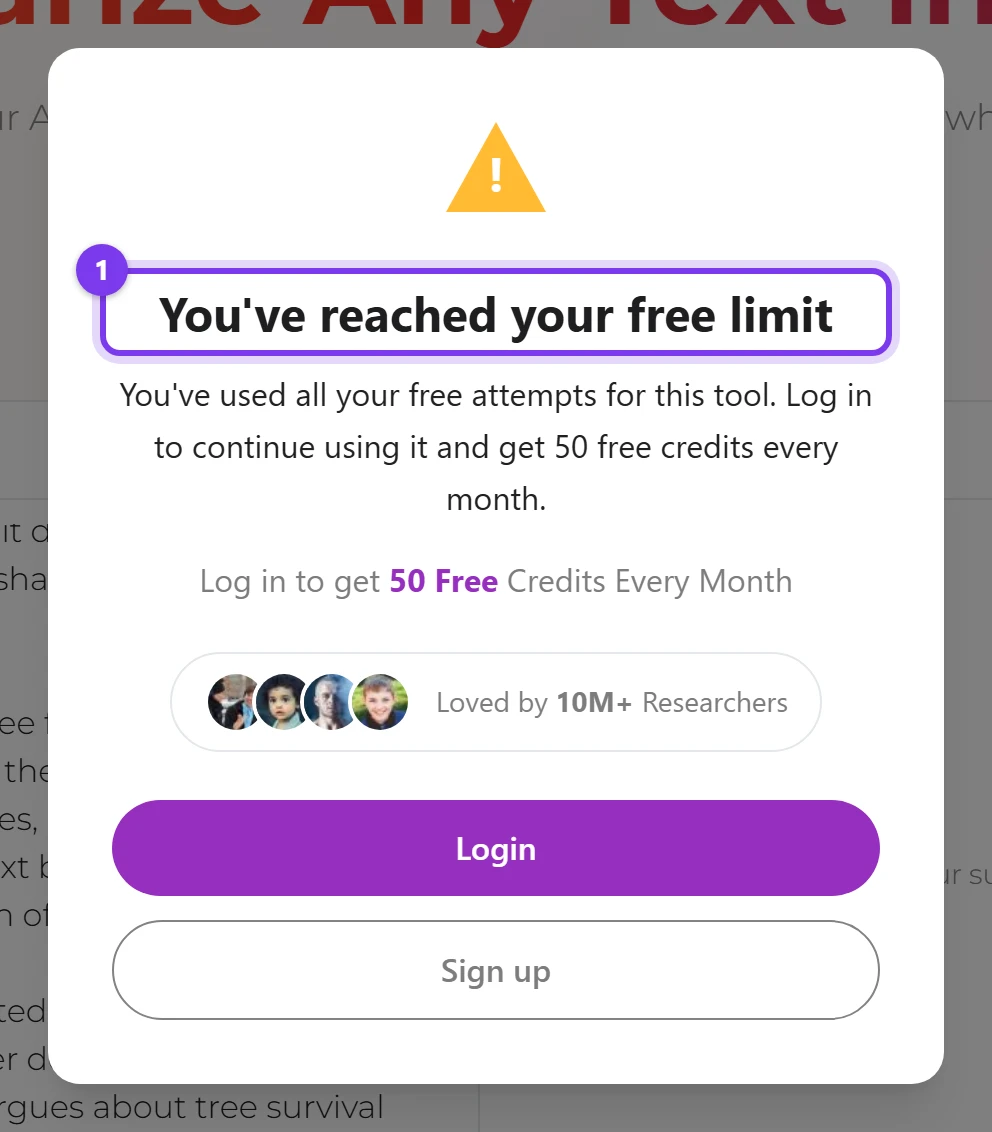
If a run fails for any reason other than a spent allowance, the panel reads "Failed to summarize. Please try again." with a Sign up for free button pointing at /login. Anonymous use is metered per IP address per tool by a 10,000-token counter that expires 24 hours after the last run; when it is spent, the API returns 429 and a popup titled You've reached your free limit offers Login and Sign up, while signed-in accounts spend credits per run. Every retry costs another run, which is the practical reason to fix the target before clicking.
Every AI Summarizer guide this blog publishes is collected in AI Summarizer guides and how-tos.
Frequently asked questions
How long should a summary be?
How do you start a summary?
How much of an AI summary can you trust?
Do I have to quote, and if so how much?
Is using an AI summarizer for school cheating?
Why did the slider give me a draft as long as my text?
Can I upload a PDF or a Word document?
First published · Last updated : First published.