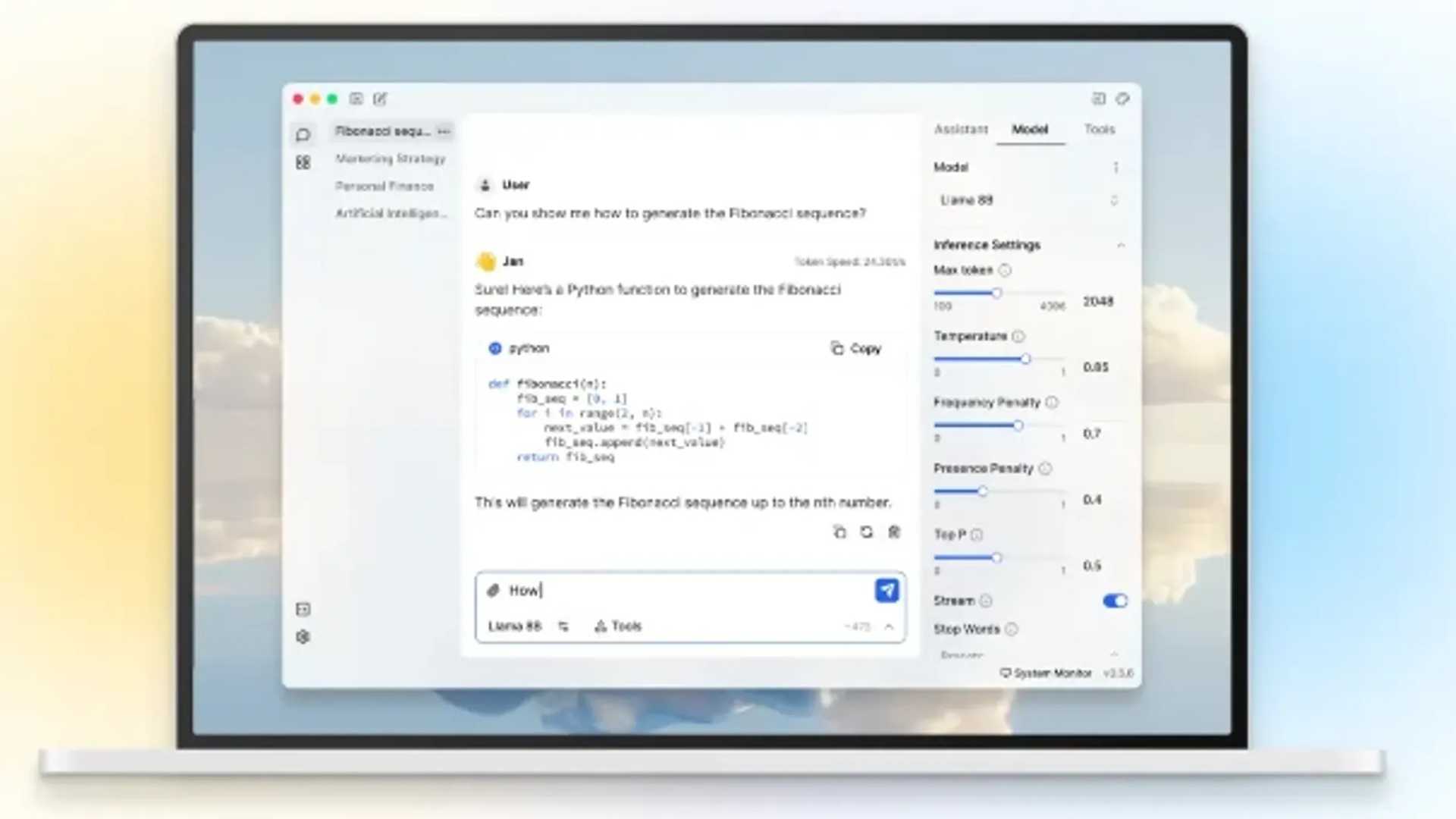
Introducing Jan: A Secure ChatGPT Alternative That Runs 100% Offline
In recent years, AI-driven chatbots like ChatGPT have gained popularity for various tasks such as generating text, answering questions, and aiding in coding. However, concerns about privacy and data security have emerged due to the use of cloud-based services like ChatGPT.
While these services offer advanced features, the need for an internet connection and data storage on third-party servers raise questions about the security and privacy of user data. One promising solution to this issue is Jan, an open-source chatbot that operates offline and can serve as a viable alternative to ChatGPT.
Features of Jan
Jan is a self-hosted, open-source, and offline chatbot that provides an alternative to cloud-based AI models like ChatGPT. Unlike ChatGPT, which relies on cloud infrastructure and constant internet connectivity, Jan runs entirely on your local machine, ensuring data privacy and security.
Based on the renowned GPT-2 and GPT-3 architectures designed for natural language processing tasks, Jan offers capabilities such as text generation, question answering, and more. Its offline operation sets it apart as a unique solution for individuals seeking an AI chatbot without compromising on data privacy.
System Requirements
Although Jan is lightweight compared to other AI models, certain system specifications are necessary to ensure optimal performance. Here are the minimum requirements:
- Operating System: Linux
- RAM: 4GB
- Storage: 2GB available space
Installation Options
Jan offers two downloadable packages for easy installation: deb and AppImage. These packages come with unique advantages depending on user preferences:
The deb package is suitable for Debian-based systems like Ubuntu, Linux Mint, and Pop!_OS. Installing Jan via the deb package integrates it into the system's package manager, simplifying updates and dependency management.
On the other hand, the AppImage format is a universal Linux package that works across various distributions without installation or root access requirements. This portable package allows users to run Jan directly from the downloaded file without worrying about system dependencies.
Getting Started with Jan
Once installed, users can access the Jan app and select from a variety of local AI models tailored to different needs. Users can begin interacting with the AI assistant immediately and enhance performance by enabling GPU acceleration if a compatible graphics card is available.

Jan presents an exciting opportunity for users to utilize a powerful AI model offline, emphasizing privacy and data security. Its lightweight design and open-source nature grant users full control over the model's operations, making it an appealing choice for tech enthusiasts, Linux users, and privacy advocates.


