How to Get ChatGPT in R with chattr | R-bloggers
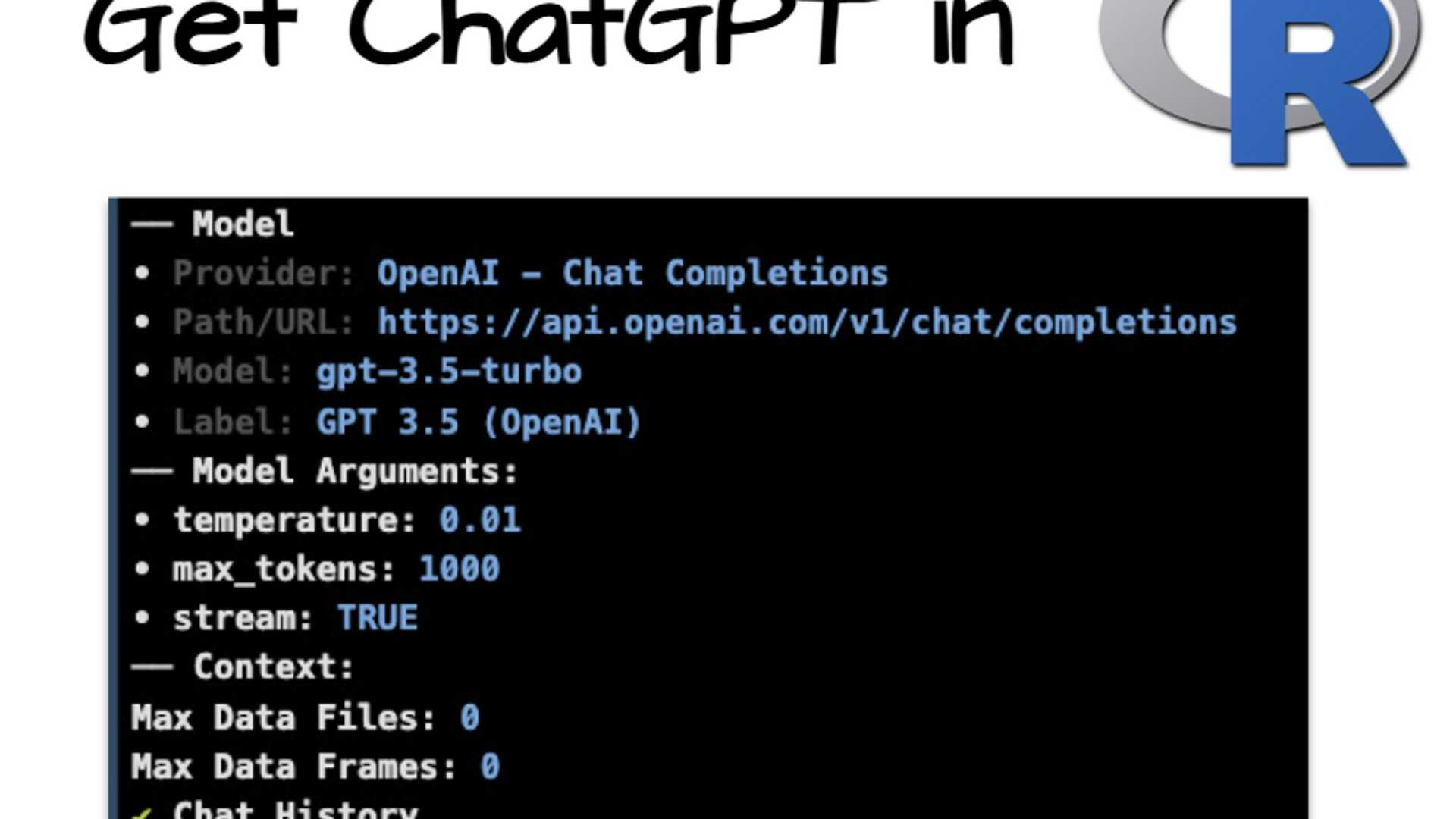
ChatGPT is a powerful tool that enhances productivity, similar to how VSCode integrates AI via GitHub Copilot. If you've been looking for a way to integrate ChatGPT in R, you're in luck! There's a new R package called chattr that allows you to do just that, right within the RStudio IDE. In this article, we'll walk you through how to get started with chattr in under 5 minutes.
What You'll Learn Today
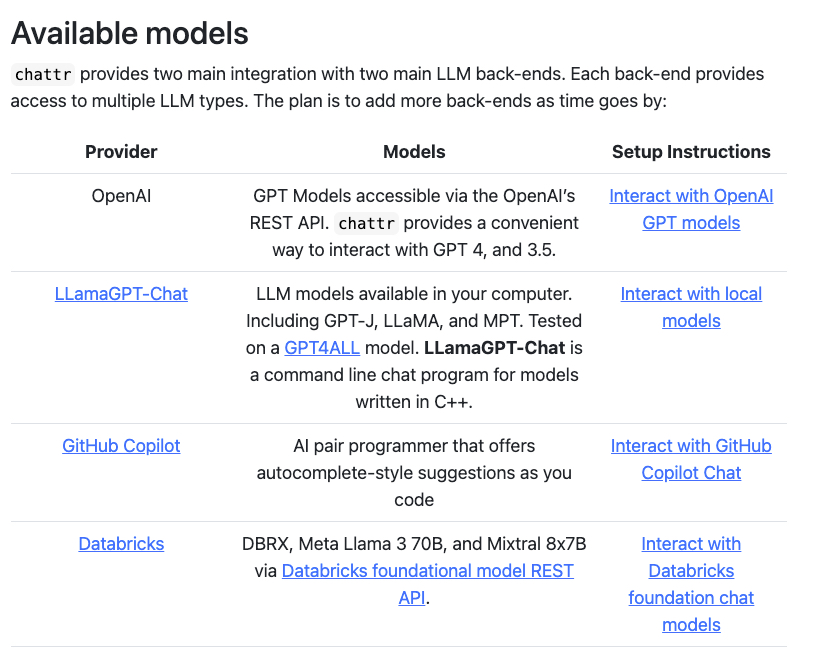
In this tutorial, you'll learn how to leverage chattr to interact with Large Language Models (LLMs) directly from the RStudio IDE. This package enables you to submit prompts to LLMs from your script or using the provided Shiny Gadget. With chattr, you can interact with various models, including OpenAI's GPT models, Llama, and GitHub Copilot.
Setting Up chattr
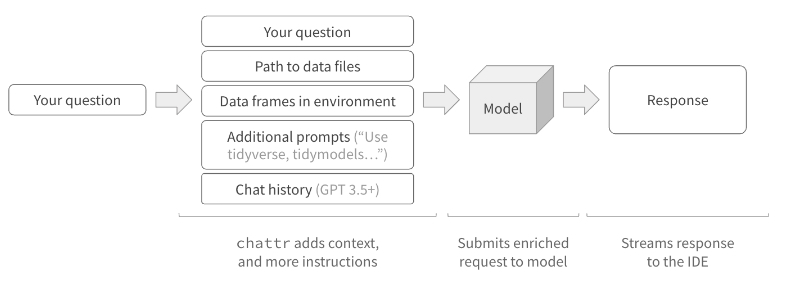
Setting up chattr is quick and easy. Once configured, you can use an LLM widget directly within the RStudio IDE. The package enriches your requests with additional instructions, data frame names and structures, file paths in your working directory, and current chat history (if supported).
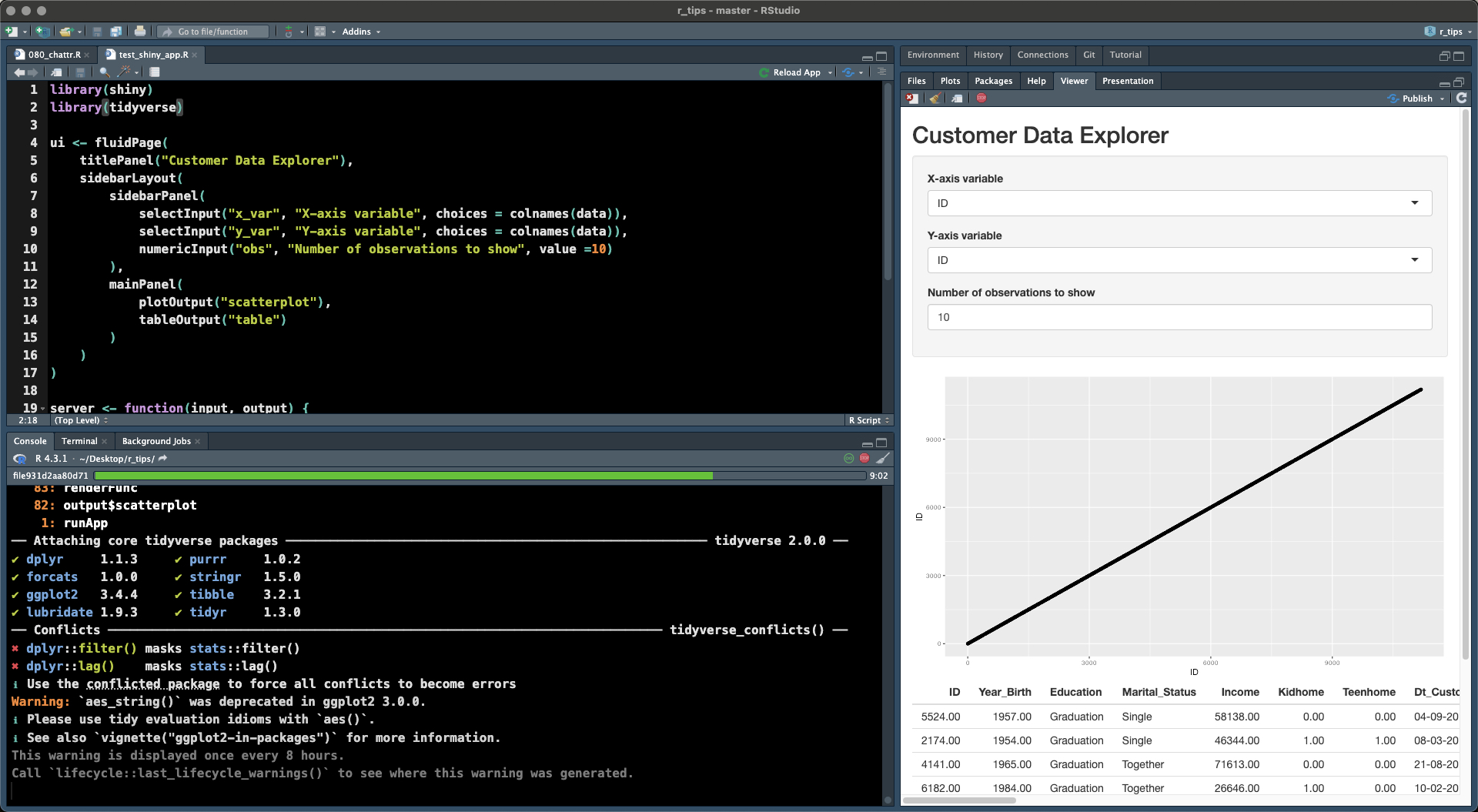
Running chattr as a background job can free up your Console, allowing you to work more efficiently. Additionally, you can build Shiny apps with LLMs, as demonstrated by a quick dialog created using chattr to explore a Marketing Campaign dataset.
Enhancing Your Workflow with chattr
Chattr is a game-changer for R users, making it easier and more productive to work with LLMs in your data science process. As LLMs play a bigger role in data science, chattr can significantly impact your workflow.
Now that you know how to integrate ChatGPT into R with chattr, the next step is to apply your data science skills to solve business problems effectively. If you're looking to enhance your Business Data Science skills, consider exploring the training programs offered by reputable providers in the field.


