
Introduction to AI Toolkit for Flutter
Are you looking to enhance your Flutter app with AI capabilities? Welcome to the Flutter AI Toolkit, a collection of AI chat-related widgets designed to simplify the process of integrating an AI chat window into your Flutter application.
The AI Toolkit revolves around an abstract LLM provider API, allowing for seamless replacement of the LLM provider used by your chat interface. Out of the box, the toolkit offers support for two LLM providers: Google Gemini AI and Firebase Vertex AI.
Google Gemini AI Integration
If you opt to use Google Gemini AI, you will need to obtain an API key from Gemini AI Studio. It's crucial to safeguard this key and refrain from storing it in your source code repository to prevent unauthorized access.
Furthermore, you will be required to select a specific Gemini model name for creating an instance of the Gemini model. While the example in the toolkit utilizes gemini-1.5-flash, you have the flexibility to choose from a variety of models available here.
The GenerativeModel class sourced from the google_generative_ai package serves as the foundation for the AI Toolkit. Building upon this, the toolkit incorporates the GeminiProvider which seamlessly integrates Gemini AI into the LlmChatView, the core widget enabling LLM-based chat interactions with users.
Firebase Vertex AI Integration
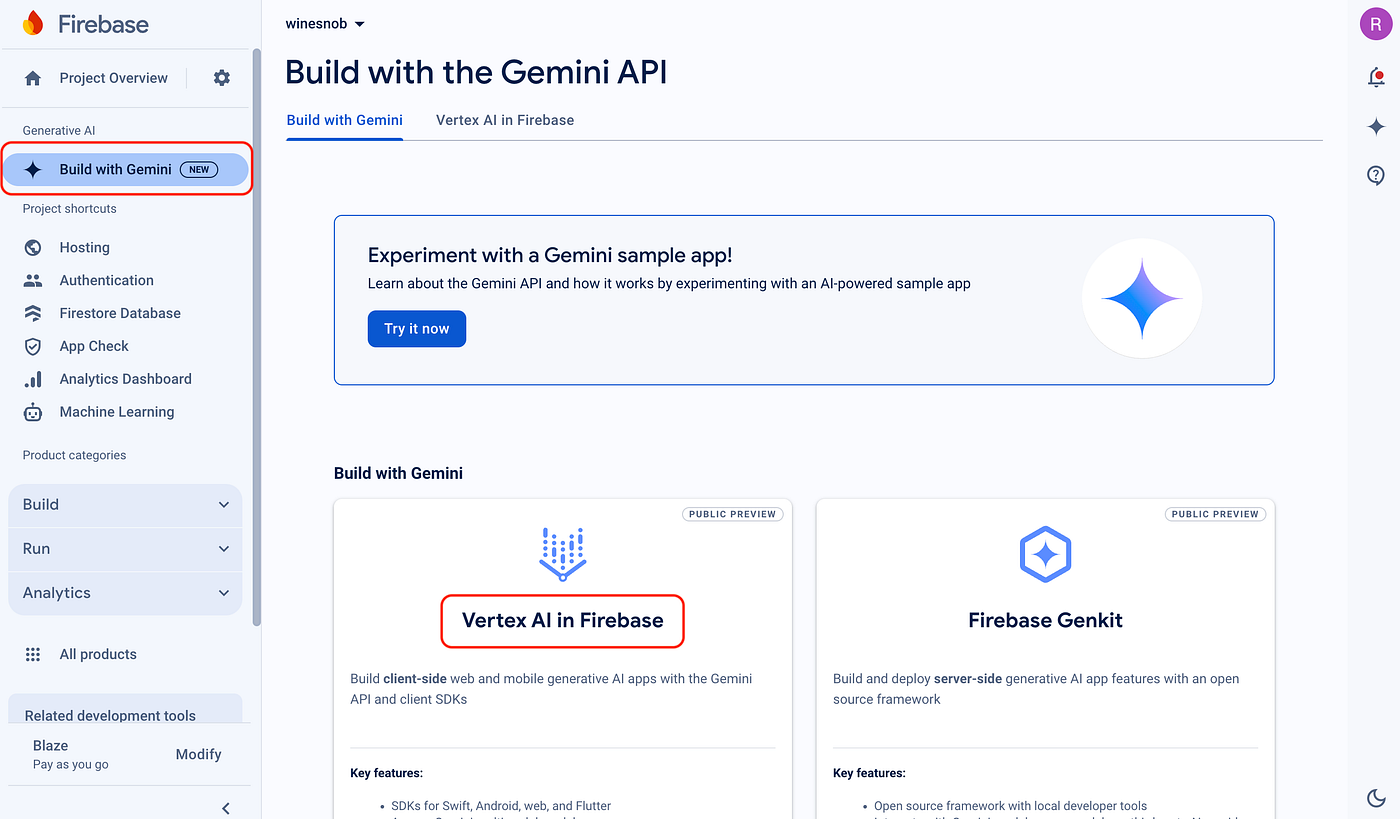
For a robust solution suitable for production apps, Firebase Vertex AI is the recommended choice. By leveraging Vertex AI within Firebase, the necessity for an API key in your client app is eliminated, replaced by a more secure Firebase project setup.
To integrate Vertex AI into your project, follow the guidelines outlined in the Get started with the Gemini API using the Vertex AI in Firebase SDKs documentation.
Upon completing these steps, incorporate the new Firebase project into your Flutter application utilizing the flutterfire CLI tool as detailed in the Add Firebase to your Flutter app guide.
Enhancing User Experience
To enable users to take advantage of advanced features like voice input and media attachments, ensure that your app is granted the necessary permissions.
Example Apps and Configurations
In order to execute the example apps found in the repository, it is imperative to update the gemini_api_key.dart and firebase_options.dart files. These files serve as placeholders necessary for the functioning of the example projects within the example/lib directory.

Take care when handling these files, especially the gemini_api_key.dart and firebase_options.dart, ensuring they are not inadvertently checked into your git repository.
Feedback and Contributions
As you explore and utilize the AI Toolkit, we encourage you to log any issues and feature requests, and also contribute any code improvements. Your feedback and contributions play a vital role in enhancing the robustness and utility of the AI Toolkit for real-world applications.
Unless stated otherwise, the content provided here reflects the most recent stable version of Flutter. For the latest updates, refer to the source.
This work is licensed under a Creative Commons Attribution 4.0 International License. Code samples are licensed under the BSD License.








