
RSSFlow - AI-Powered RSS Information Stream - Chrome Web Store
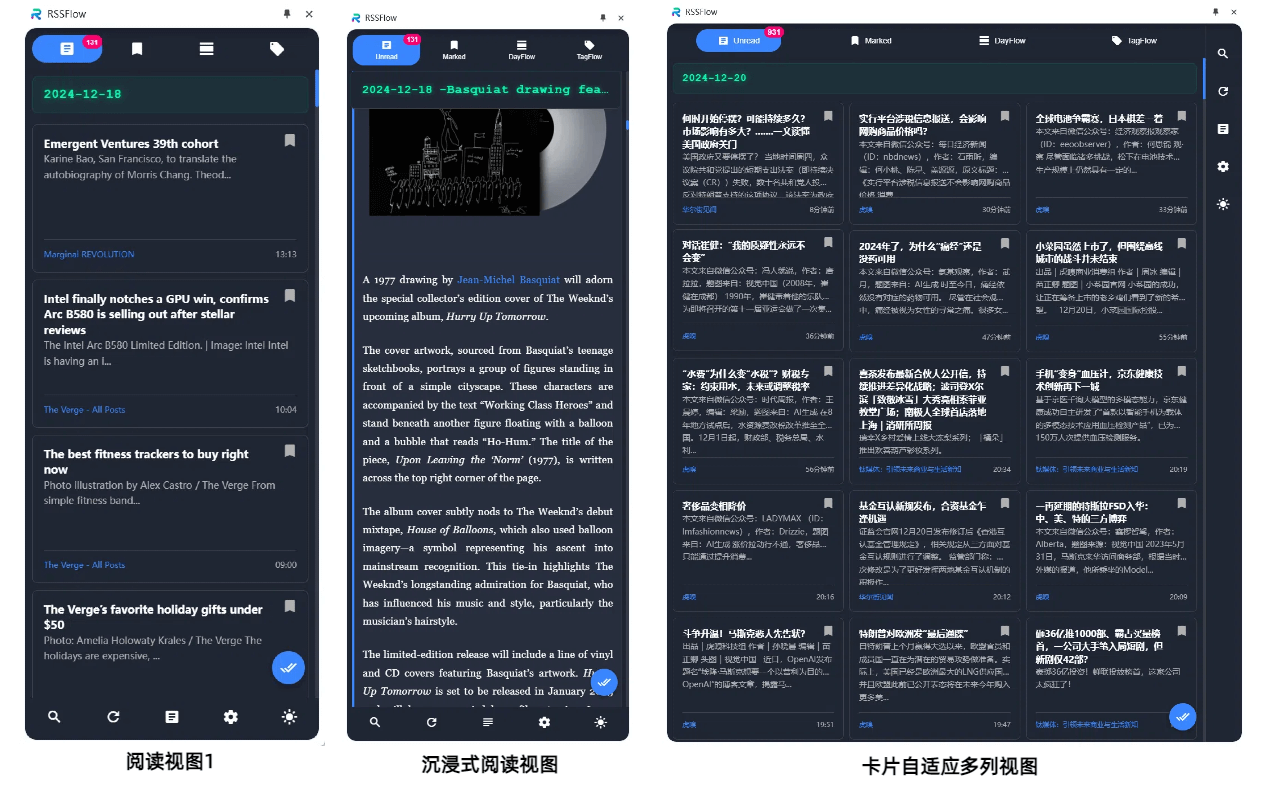
Stay informed and up to date with your favorite content using RSSFlow Reader. This modern RSS reader offers a range of features to enhance your reading experience, including AI-powered summaries, multidimensional feeds, smart chat capabilities, and podcast generation.
Key Features:
RSS Subscription
- One-click Subscription: Easily detect and subscribe to RSS feeds with a single click
- Smart Updates: Background syncing ensures timely content updates
- Feed Management: Organize and group your subscriptions for better content management
Smart AI-Powered Summaries
- Multiple Models: Supports mainstream AI models like OpenAI, Gemini, SiliconFlow, DeepSeek, and more
- Intelligent Extraction: Automatically extracts key information, viewpoints, and evaluations
- AI Automatic Summarization: Enable AI automatic summarization for discovering new content and automating AI processing

Smart Chat Mode
- Content-Based Dialogue: Engage in in-depth discussions about RSS articles
- Professional Quick Commands: 15 quick commands for content creation, financial analysis, risk insights, and more
- Multi-Round Conversations: Supports contextual conversations and memory
- Content Filtering: Filter content using tags + keywords for efficient chats or quick command execution
- Customizable AI Parameters: Adjust parameters for optimal results
- Shareable Card Generation: Generate shareable cards or infographics with one click
Podcast Generation
- RSS Content to Podcasts: Convert RSS content into podcast scripts
- Customizable Voice Style: Supports custom prompts for personalized voice podcasts
- One-Click Regeneration: Easily update content when needed
- Simple Export: Copy generated podcasts with one click
Multidimensional Reading Views
- Daily View: Organize information flow by date for easy review
- Tag View: Group topics using smart tags for in-depth exploration
- Full-Text Reading: Supports original text and summary preview modes
- Infinite Scrolling: Seamless content loading for uninterrupted reading
Personalization
- Dark Mode: Switch between light and dark themes
- Keyboard Shortcuts: Supports customizable shortcuts for full-text reading
- Mokugyo Mode: Plays a sound when marked as read, improving focus
- Multi-Language: Supports 12 interface languages, including English
How to Use:
- Click "Add to Chrome" and pin it to the toolbar
- Open the sidebar by clicking the extension icon
- Add your favorite RSS feeds
- Complete the AI model configuration
- Start your smart reading journey!
Use Cases:
- Tech enthusiasts keeping up with industry trends
- Researchers tracking academic news
- Investors monitoring financial news
- Content creators gathering inspiration
- Journalists organizing information
- Knowledge workers processing large volumes of information
Frequently Asked Questions:
Does it support all RSS feeds?
Supports mainstream RSS/Atom formats, including RSS 2.0, RSS 1.0, Atom, etc.
Are there additional costs for the AI summary feature?
The use of RSS reading and AI summary features is free. Chat mode and podcast generation features offer a trial period. Users need to configure their own AI model (supports OpenAI format API).
Where is the data stored?
All data is stored locally, ensuring your reading privacy.
Special Notes:
- Full local storage to protect your reading privacy
- Continuously updated and maintained
- Dedicated technical support with quick response to user feedback
Explore more about Google's review verification.
For detailed data collection and usage information, refer to the developer's privacy policy.








