
Encountering the "ChatGPT Oops An Error Occurred" message while using the popular AI chatbot can be frustrating. However, understanding the reasons behind this error can assist in troubleshooting effectively.
Potential Causes of "ChatGPT Oops An Error Occurred" Message
The "ChatGPT Oops An Error Occurred" message may appear due to several reasons:
- Server issues
- Internet connection problems
- Browser-related conflicts
- Outdated browser versions
How to Resolve the Error
To address the "ChatGPT Oops An Error Occurred" message, consider the following steps:
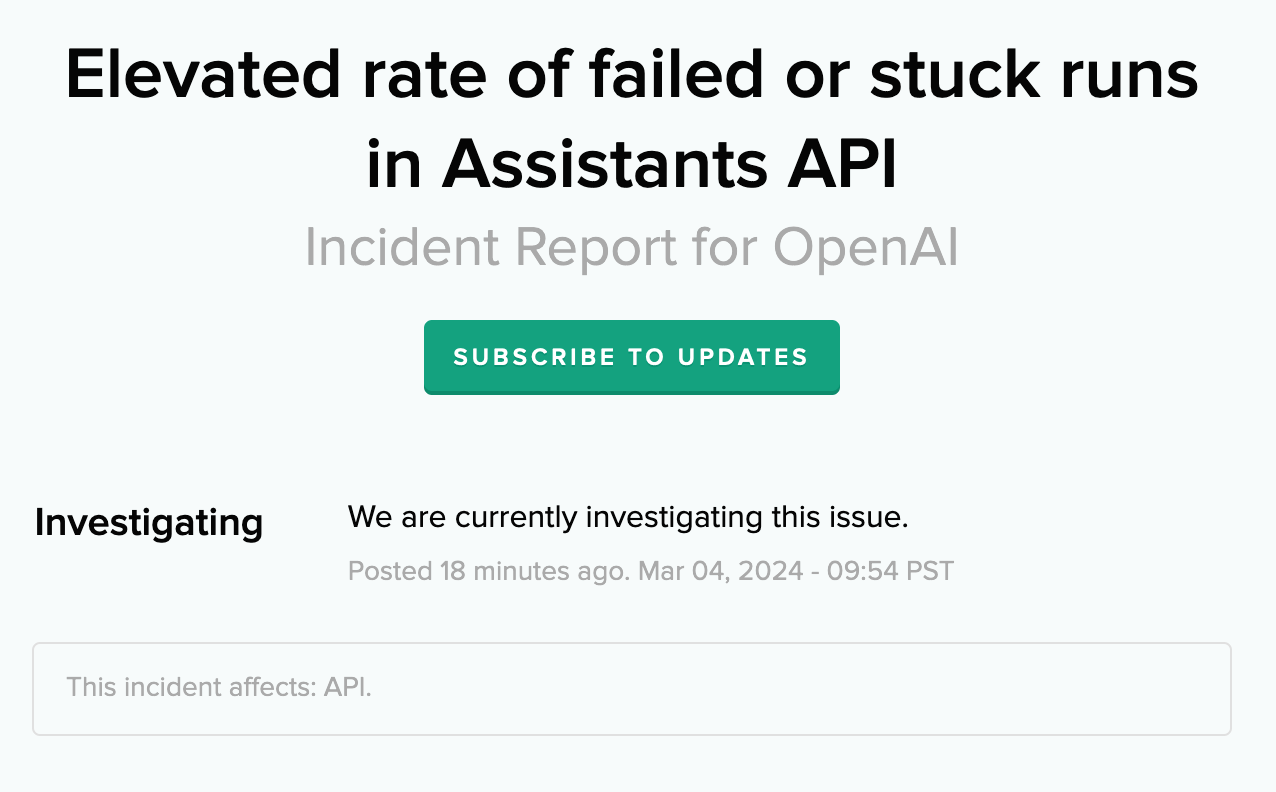
1. Check OpenAI's Status
Visit OpenAI’s status page to verify any ongoing outages or problems. Wait for any reported issues to be resolved on their end.
2. Refresh the Page
Try refreshing the page by clicking the refresh button on your browser or pressing F5 to reload.
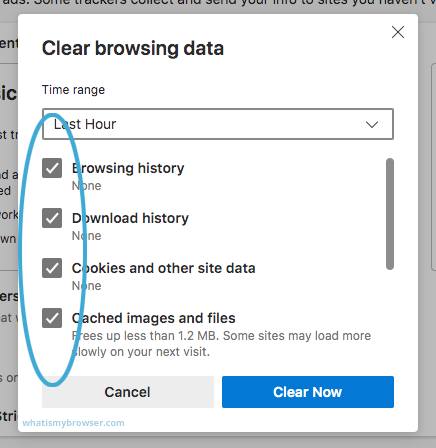
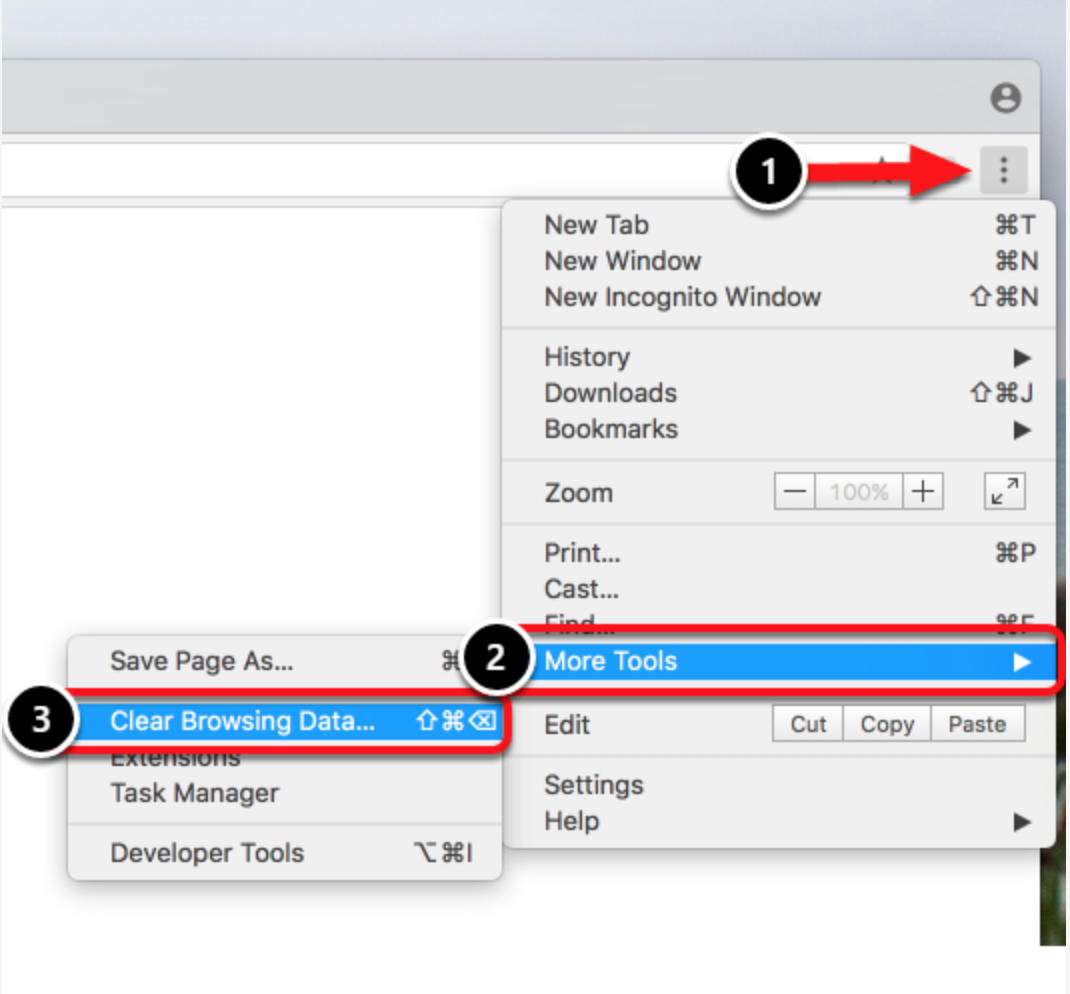
3. Clear Cache and Cookies
Clear your browser’s cache and cookies to resolve conflicts that may be causing the error.
4. Ensure Stable Internet Connection
Check the stability of your internet connection, as a shaky connection can lead to errors.
5. Update Your Browser
Ensure you are using the latest version of your browser to avoid potential issues.
6. Disable Browser Extensions
Temporarily disable browser extensions to determine if any of them are causing the problem.
7. Use a Different Browser or Device
If the issue persists, try accessing ChatGPT from a different browser or device to isolate the problem.
8. Contact OpenAI Support
If none of the above steps resolve the error, reach out to OpenAI's support team for further assistance.
By following these suggestions, you should be able to address the "ChatGPT Oops An Error Occurred" message and resume using ChatGPT seamlessly. Stay informed about OpenAI's status updates for any ongoing issues or seek help from their support team if problems persist.








