Google Unveils Gemini AI Enhanced Image Editing Feature: A Game-Changer in Digital Creativity
Consider the sheer number of images you encounter each day. As you scroll through social media and browse the internet, visuals are all around you! But what if I told you those images could serve a greater purpose? What if they held the potential to unleash a new realm of creativity? Enter Google Gemini. This incredibly advanced language model can take a basic image and transform it into captivating stories, poems, character sketches — the possibilities are endless!
Enhancing Creativity with Google Gemini
However, there’s a catch: Gemini shines brightest when you know how to communicate with it effectively. This post aims to guide you in turning your images into prompts that yield outstanding results. Get ready to enhance your AI-generated creations!
Google’s Gemini AI image generator has just received a major upgrade with Imagen 3, a cutting-edge editing tool. This update goes beyond simply creating images from text prompts. Imagen 3 gives you the ability to fine-tune specific areas of your artwork, marking a new era in image personalization.
Google's Role in AI Advancements
This year, the Nobel Prizes awarded to AI researchers linked to Google have sparked discussions about the company’s leading role in research. The prestigious awards have also raised concerns about Big Tech’s dominance and the importance of acknowledging advancements in computer science and mathematics. Professor Dame Wendy Hall, a computer scientist and AI advisor to the United Nations, noted that while the winners’ contributions are commendable, the absence of a Nobel prize for mathematics or computer science has skewed the recognition.
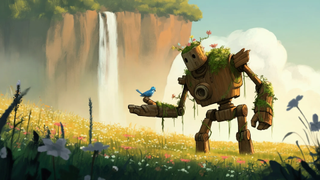
Latest Update in Gemini AI Image Generator
Google has launched an exciting update for its Gemini AI image generator, featuring a new editing tool that gives users more control over their creations. This functionality is included in the latest Android 15 Beta version, allowing users to make detailed adjustments to specific parts of an image, improving the customization of the generation process. While this new feature is promising, it is still in beta and may have some imperfections.
Improvements in AI Image Generation

Google has improved its AI image generation features, allowing users to engage more directly with the images. Before, users could only create images using text prompts. Users can now select specific areas of an image and request alterations. The key improvement is the ability for users to select specific areas of an image for editing, giving them more control over the final product. This makes it easier to customize images, which was harder in earlier versions where changes felt less precise.
Challenges and Future Developments
However, the tool does have some drawbacks. The demo showed that the AI sometimes had trouble understanding certain requests, leading to inconsistencies in the results. Users also noted that making changes could take longer than expected, indicating that more work is needed. This new feature is part of Google’s ongoing efforts to enhance the Gemini AI image generator, which has been under development since its launch.

Users can expect updates as the feature develops. The advancement of AI technology is revolutionizing the creation and interaction with digital content, exemplified by tools such as the Gemini image generator.








