Gemini in Gmail Can Now Polish Up Your Rough Notes in Drafts
Gemini in Gmail has introduced two new updates to enhance the email drafting experience for users, one of which is the new Polish feature. This latest enhancement in Gemini in Gmail can be particularly beneficial for individuals who frequently compose lengthy emails. Google has rolled out these updates to streamline the email drafting process with added efficiency.
New Features for Faster Email Drafting
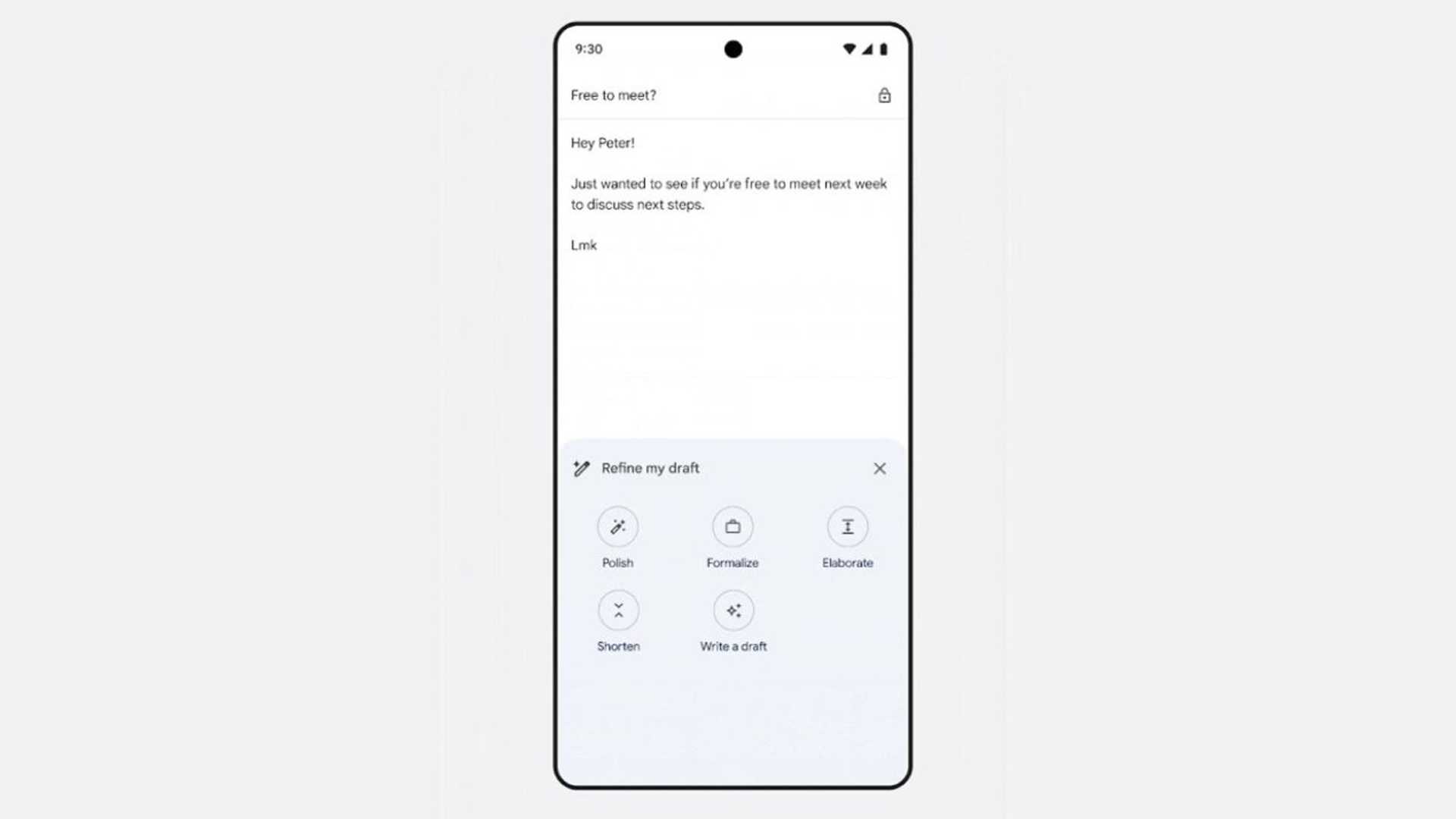
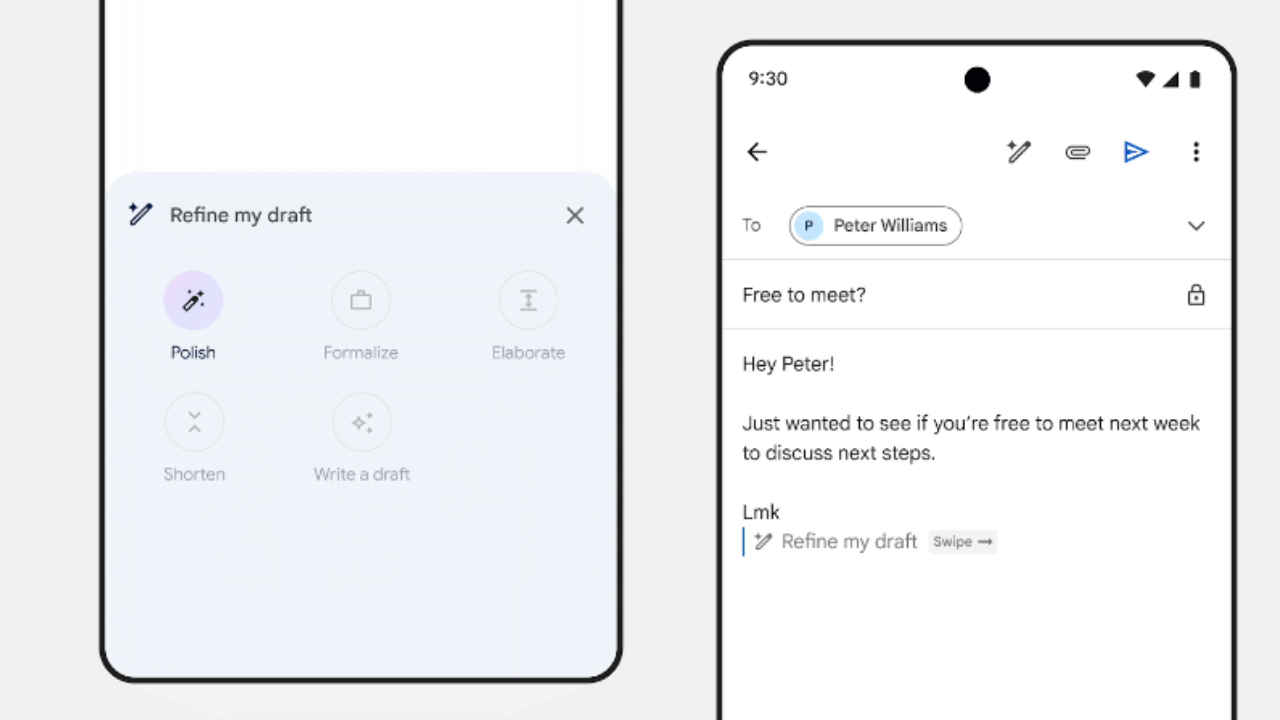
Google has announced two new updates for Gemini in Gmail to facilitate quicker email composition. On mobile devices, users will now see a "Help me write" shortcut within an empty email draft, providing easy access to the full writing assistance feature. Moreover, when an email draft contains 12 or more words, a "Refine my draft" shortcut will appear below the email content. This shortcut offers options to Polish, Formalize, Elaborate, Shorten, or even create a new draft from the existing content. Users can trigger this menu by simply swiping right on the "Refine my draft" prompt. Both the "Help me write" and "Refine my draft" shortcuts are now accessible on Android and iOS platforms.
For more information, you can visit here.
Effortless Email Refinement with Gemini
When utilizing Gemini to refine emails, users have various options to choose from, including Formalize, Elaborate, Shorten, and the newly introduced Polish feature. The Polish feature, available on both web and mobile platforms, leverages Gemini's capabilities to enhance the quality of your emails seamlessly, ultimately saving you time and effort.
According to Google, "For example, if you input rough notes into a draft, Gemini can transform the content into a polished, formal email draft with just one click." The "Help me write" option for polishing email drafts is currently accessible on web browsers, Android, and iOS devices.
These new features are accessible to users with a Gemini Business and Enterprise add-on, Gemini Education and Education Premium add-on, or a Google One AI Premium account.

Stay updated with the latest tech news and reviews by following us on Twitter, Facebook, and Google News. To watch the latest videos on gadgets and technology, subscribe to our YouTube channel.








